Top 5 Most Effective Tasks to Automate for Business Growth

Fabio Santos
If your team is still copying data between spreadsheets, building reports by hand, chasing approvals over email, or manually sending the same customer updates, there’s a good chance your business is losing more time than you realise.
That lost time is often hidden inside everyday work. A five-minute admin task doesn’t look expensive until it happens 200 times a month. A weekly report doesn’t feel like a bottleneck until a senior person spends half a day preparing it. A slow approval process doesn’t seem urgent until it delays revenue, onboarding, compliance or customer service.
At mmtm, we often see this in growing businesses with internal tools, customer portals, SaaS products and established Ruby on Rails applications. It works... but the workflows around it have become harder to maintain. That’s where automation can make a measurable difference.
The best automation work is about finding repeatable tasks that eat up time, and improving the process so your team can focus on higher-value work.
What Business Tasks Should You Automate First? ⏱️
The right place to start is rarely “what can we automate?”
A better question is: “Where are we repeatedly losing time, money, accuracy or momentum?”
FAutomation opportunities often sit in one of five areas:
- Admin and data entry.
- Reporting and dashboards.
- Approvals and compliance checks.
- Customer communications.
- Scheduling and resource planning.
These tasks are valuable because they’re measurable. You can usually track how long they take today, what happens after automation, and whether the change has created a meaningful return.
Here’s how that looks in practice.
1️⃣ Admin and Data Entry
Manual admin is one of the easiest places for time to disappear.
It often starts innocently: a spreadsheet here, a copied email there, a customer record updated in three different systems. As the business grows, these small tasks multiply until operations depend on people remembering where everything goes.
Before automation
A team member receives information by email, spreadsheet or form. They copy it into a system, rename files, update records, check for missing fields and notify the next person manually.
This creates three common problems:
- The work is slow.
- The process is easy to get wrong.
- The business becomes dependent on individual people knowing the workaround.
After automation
The application imports structured data, validates fields, creates records, stores files correctly and alerts the right people when something needs attention.
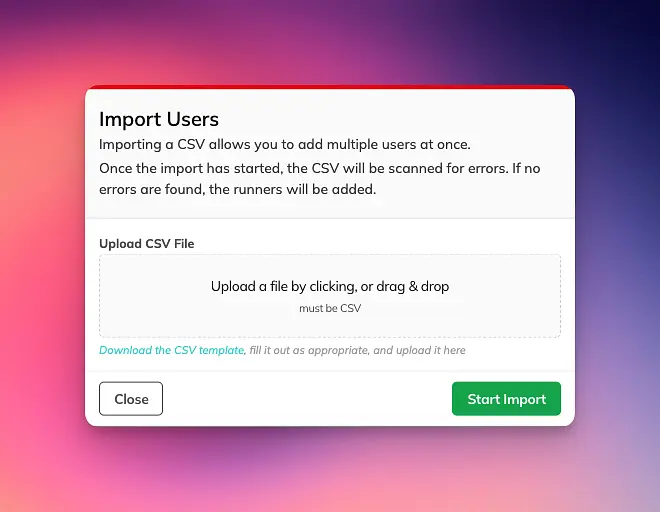
For example, in Certifi, we built AI-assisted bulk importing to extract key data from certificate files and images, auto-fill compliance records in seconds, and reduce manual data entry. Certifi is used to manage over 11,000 employee accreditations, so even small improvements to admin effort compound quickly.
2️⃣ Reporting and Dashboards
Reports are meant to help people make decisions. Too often, they become a weekly exercise in exporting, formatting, checking and chasing.
If senior people are spending time preparing reports instead of using them, there’s probably an automation opportunity.
Before automation
Data lives across spreadsheets, admin panels, forms and emails. Someone exports information, cleans it, formats it, builds a deck or PDF, then repeats the same work next week.
The result may be useful, but the process is fragile. Reports arrive late, numbers can drift, and decision-makers don’t always know whether they’re looking at the latest version.
After automation
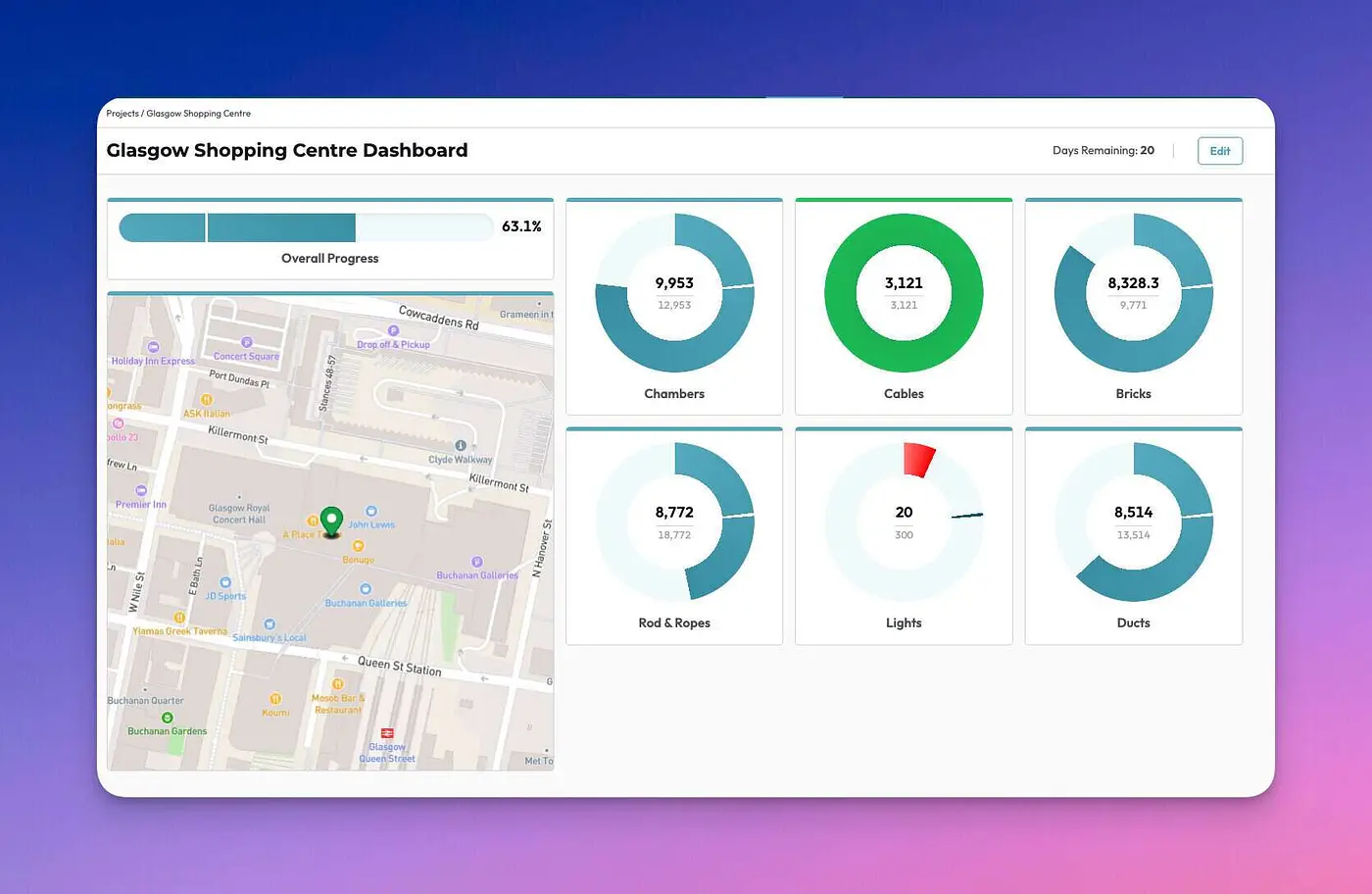
The app turns live data into dashboards, filtered views, CSV exports, PDFs or client-ready reports. Users can select what they need and generate it in a few clicks.
In The Bridge, L Marks had a major reporting bottleneck. Screening Packs for clients took up to a week to format manually in Microsoft Word. We built a reviewing and PDF export feature that turned that work into the click of a button. The platform has since supported 70+ programmes, 13,000+ applications and 10,000+ scouted startups.
3️⃣ Approvals, Compliance and Handover Workflows
Approvals are a classic source of invisible delay.
They often sit between departments: operations and finance, admin and field teams, sales and delivery, customer support and product, or compliance and management.
When approvals happen by email, Slack or spreadsheet comments, the business loses visibility. Nobody is quite sure what’s waiting, who owns the next step, or whether the latest information is complete.
Before automation
A person checks a request manually, looks for missing documents, asks someone else to confirm, updates a tracker and sends a reminder if nothing happens.
This is especially risky where compliance, onboarding, payments, accreditations or customer commitments are involved.
After automation
The application captures the request, checks required information, routes it to the right person, records the decision and triggers the next step.
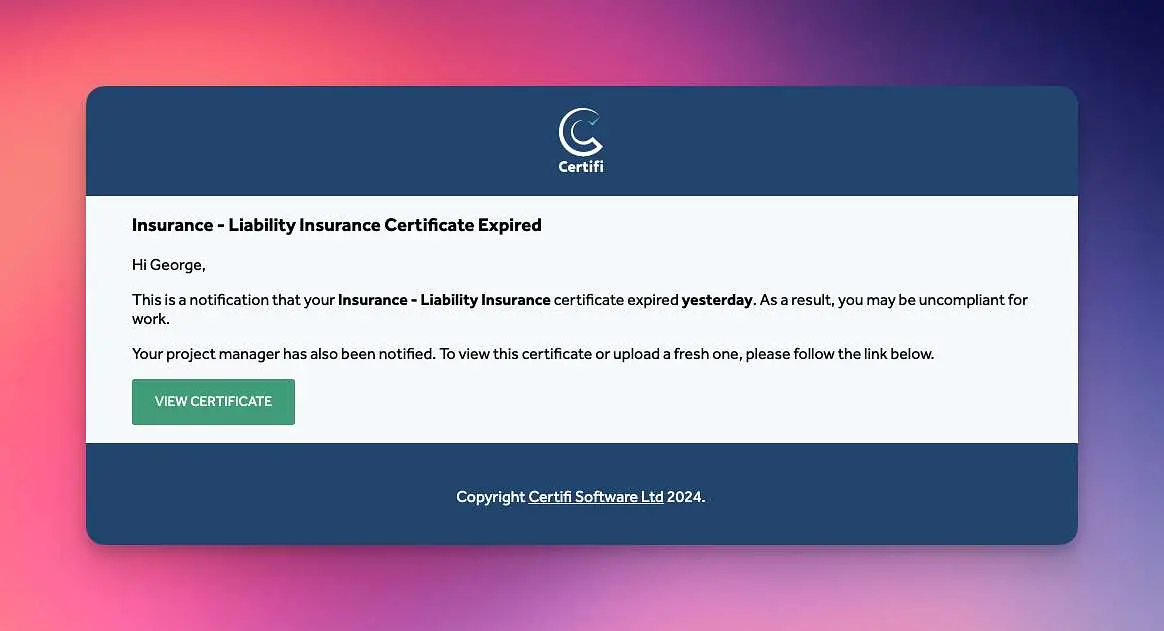
Certifi shows how powerful this can be in compliance-heavy industries. The platform replaced spreadsheets, emails and scattered file systems with structured accreditation tracking, expiry reminders, permissions and instant compliance reporting. Key reports such as Training Matrices and Qualified Persons Lists can be generated in one click, saving hours of admin time before audits.
4️⃣ Customer Communications and Follow-Up
Customer communication is another area where manual work can quietly limit growth.
Sending reminders, onboarding instructions, status updates, appointment details, renewal prompts or follow-up emails might seem straightforward. The problem is consistency. As volume grows, messages get missed, delayed or sent with the wrong context.
Before automation
Customers rely on a team member remembering to send the right message at the right time. Internal staff spend time checking status, copying templates, confirming dates and answering avoidable questions.
After automation
The app sends timely, contextual messages based on customer behaviour, status changes or important dates. Staff still step in where judgement is needed, but the routine communication happens reliably.
For Thresholds, we built Mara with automated scheduling, calendar syncing, Mailchimp integration and marketing website integration. That removed back-and-forth emails and helped automate back-office operations for a programme platform used by 17,000+ participants.
For Colourstart Passport, the app guides users through a patch-test process with gentle reminders. The product is used across 1,800+ salons, with 90,000+ users and 65,000+ patch kits used. At that scale, automated customer communication isn’t a nice-to-have. It’s part of how the service works.
5️⃣ Scheduling and Resource Planning
Scheduling is one of those tasks that looks simple until people, locations, availability, customers, resources and last-minute changes all collide.
We still see businesses using spreadsheets as calendars. That might work for a small team, but it becomes painful when the schedule needs to update in real time, trigger reminders, sync with calendars, assign staff or give customers visibility.
Before automation
Someone maintains a spreadsheet or shared calendar. Changes are passed around by email, phone or chat. Customers and team members may not have the latest information, and every update creates another admin step.
After automation
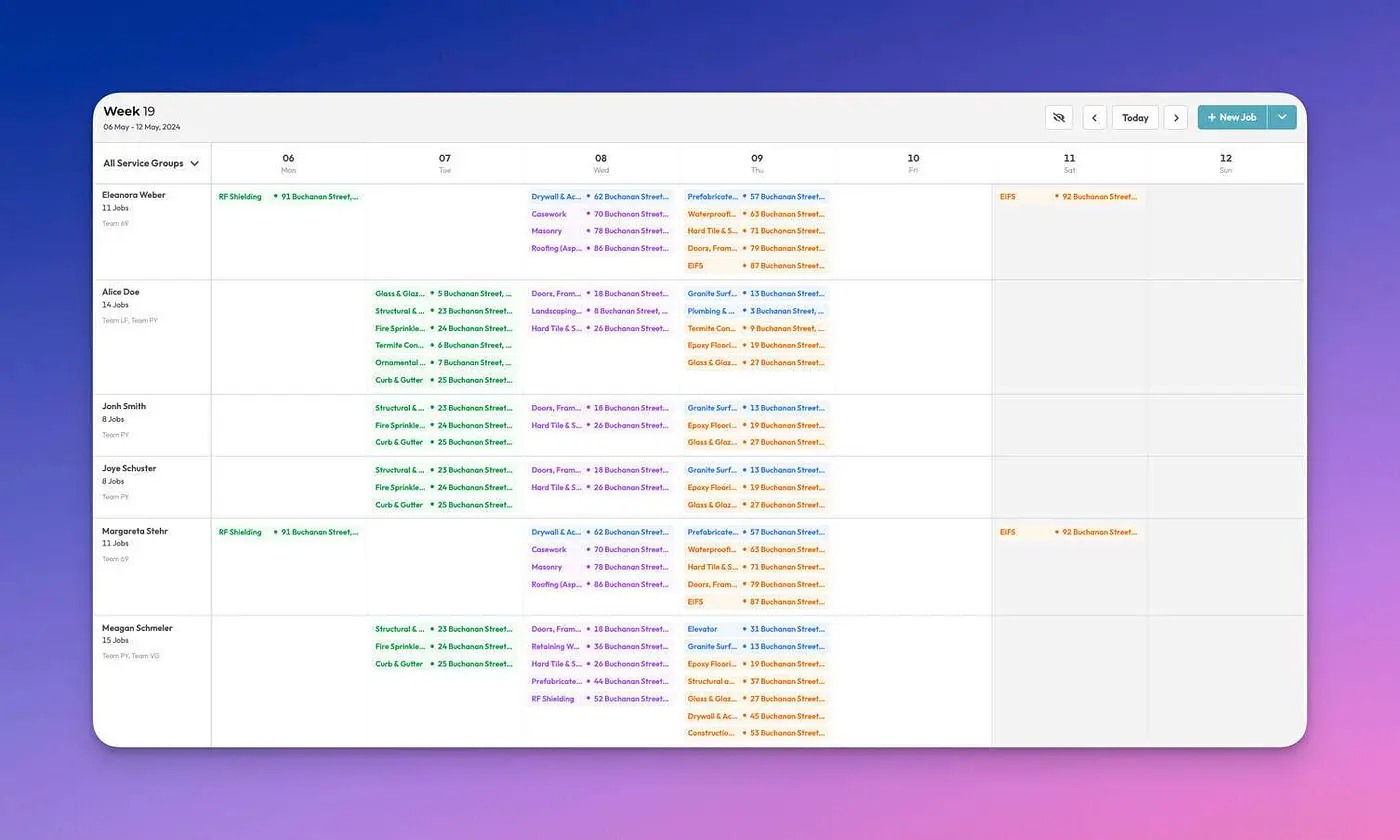
The application becomes the source of truth. Users can see what’s booked, what’s available, who’s responsible, and what happens next.
Thresholds is again an excellent example of this, as thousands of users are scheduled onto courses, tutorials, and mentoring meetings every day. In total, apps we've built process thousands of scheduled events, meetings, site visits, and more.
When to Automate vs Redesign the Process 🧠
Not every manual task should be automated.
Sometimes automation creates value quickly. Other times, it just makes a poor process happen faster.
Before building anything, it’s worth deciding whether the task needs automation, redesign, or both.
Automate when:
- The task happens frequently.
- The rules are reasonably consistent.
- The required data already exists or can be captured reliably.
- The outcome is easy to measure.
- The task doesn’t require deep judgement every time.
- The current process is slow mainly because humans are moving information around.
Good examples include importing records, generating reports, sending reminders, routing approvals, checking expiry dates and syncing data between systems.
Redesign when:
- Every case seems to be an exception.
- Different teams disagree on what should happen.
- The data is incomplete, duplicated or unreliable.
- Customers are confused by the current journey.
- The manual work exists because ownership is unclear.
- The workflow has grown around an old workaround that no longer fits the business.
In those cases, jumping straight into automation can lock in the wrong process. It’s better to map the workflow, remove unnecessary steps, clarify decision points, and then automate the parts that remain.
How to Find the Highest-ROI Automation Opportunities
If you want automation to support business growth, start with the tasks that are both repetitive and measurable.
A simple scoring exercise can help:
- Frequency: How often does this task happen?
- Time: How long does it take each time?
- Cost: How senior is the person doing the work?
- Risk: What happens if it’s done late or incorrectly?
- Scale: Will this task grow as the business grows?
The best opportunities usually sit where all five are high.
For example, a task that takes 10 minutes once a quarter probably isn’t worth automating. A task that takes 10 minutes, happens 500 times a month, affects customers and creates reporting errors is much more interesting.
Build New or Improve What You Have?
There are usually two routes.
If you have an existing Rails app, internal platform or customer-facing product, it may be best to improve, maintain and extend what already works. That might include Ruby on Rails app maintenance, a Rails upgrade, performance improvements, workflow automation, integrations, or a codebase audit before major change. Our Improve a Product service is your best bet in this instance.
If your team is still running a critical process through spreadsheets, SharePoint, email or disconnected tools, a new product may be the better route. Our Create a Product service helps teams turn operational problems, product ideas and manual workflows into well-designed Ruby on Rails applications.
Either way, the goal is the same: reduce avoidable manual work, make the process easier to manage, and give your team more time for work that actually grows the business.

Martin Dick
Co-Founder, mmtm
Still losing time to manual business tasks?
We've spent 10+ years helping businesses build, improve and automate bespoke web applications, supporting products used by hundreds of thousands of users.
If your team is stuck copying data, building reports by hand, chasing approvals or running key work through spreadsheets, I'd be happy to help you spot the highest-value places to start!
Schedule a chatFrequently Asked Questions
What office tasks should a business automate first?
A good place to start is with office tasks that are repetitive, measurable and easy to define. Data entry, report generation, approvals, reminders, scheduling and routine customer updates are often strong candidates because you can compare the time, error rate and delay before and after automation.
How do I know if a manual process is worth automating?
A manual process is worth automating when it happens often, follows clear rules, uses reliable data and creates avoidable delays, errors or cost. A useful test is to calculate how many times the task happens each month, who does it, and what breaks when it is late or wrong.
Can AI help with office automation?
Yes, AI can help with office automation when it is tied to a specific workflow! Common examples include extracting data from documents, summarising information, routing enquiries, drafting routine messages, checking records and helping teams query business data. It works best with clear rules, good data and human review where judgement matters.
Not Sure What To Read Next? Here's What We Recommend...
- Business Development
- Process Optimisation
- Digital Solutions
- Productivity
- Web Applications